
Tables
3 partsThe database at a glance, before the first query.
- Every table and its rows
- Columns and data types
- Primary and foreign keys
SQLLab gives every student a hospital database to explore, query and change, with each answer saved and checked against the key. Nothing to install, and nothing a student runs can break the data.
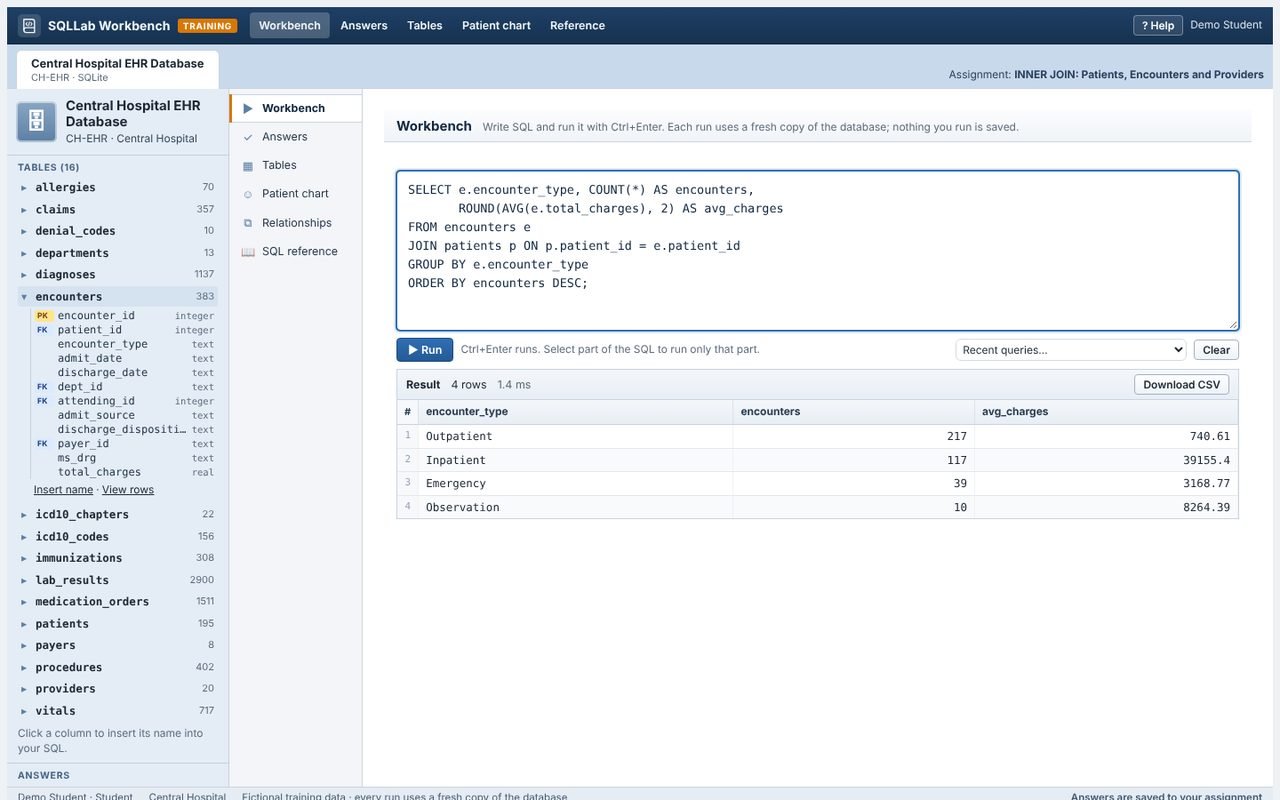
Each lab opens its database in the Workbench, with the schema, the editor, the patient view and the questions side by side.
The database at a glance, before the first query.
How the tables link, for writing joins.
Write, run and refine SQL.
One patient’s rows in every table, like a chart.
One answer per question, saved to the assignment.
The syntax students need, in its own window.
Readmissions, care gaps, denials and unbilled accounts: students learn each part of SQL on the questions health data analysts are asked.
Every run starts from a fresh copy, so CREATE, INSERT, UPDATE and DELETE can be tried freely.
Each answer saves a few seconds after students stop typing, on any computer, in class or at home.
A query that runs too long is stopped with a hint to check the joins and filters.
Students copy their SQL and results into the activity document and answer its questions.

Assign labs, see every query and its check result, and grade without running anyone’s SQL by hand.
Choose labs, then a class, a section or teams, and set a due date and points.
Share a class code and students create their own accounts, or add and import them yourself.
Each saved query is run and compared with the key’s result: see at a glance which match and why the others do not.
Choose whether students see if each saved answer matches, or only after grading.
Edit any lab, add your own questions with their key queries, or write a new lab.
Add a database of your own and build labs on it.
Fictional, but never generic. Three databases cover querying, auditing data quality and designing a database from scratch.
An EHR and billing database of 16 linked tables for January to September 2026: 383 encounters, ICD-10-CM diagnoses, procedures, lab results, medications, vital signs and claims.
Patients, encounters and diagnoses received from a clinic’s old system, with deliberate data quality problems to find before loading.
Westside Family Clinic’s spreadsheet-style visit log, with repeated details and repeating columns: the starting point for 1NF to 3NF.
Students save one query per question. SQLLab runs it on a fresh copy of the database and compares the result with the answer key’s, so faculty see straight away which answers match.
-- Lab 18 · every provider, including those with none
SELECT   pr.provider_id, pr.last_name,
         COUNT(e.encounter_id) AS encounters
FROM     providers pr
LEFT JOIN encounters e
       ON e.attending_id = pr.provider_id
GROUP BY pr.provider_id, pr.last_name
ORDER BY pr.provider_id;30 ready-made labs put every part of the Workbench to work.